Appearance
Getting Started
How to launch Blueback Well ties from Petrel and Avary.
Petrel data selector
The Blueback Well Ties plugin for Petrel can be accessed from the Marina menu > Blueback Well Ties Petrel Link. Figure shows the data selector.
In the Blueback Well Ties Launcher, the user can select multiple seismic volumes (such as theta angle stacks, intercept, gradient, EEI attributes), velocity volume, seismic surfaces, multiple wells, checkshots, well tops, and log data. When selecting seismic volumes, each input can have its own wavelet (not required for White method) which Blueback Well Ties will use to calculate the initial synthetic gather. Each input seismic volume needs to be defined in the ‘Type’ column. As minimum, Vp and Density logs are required as input; to tie to anything other than zero incidence intercept volumes a Vs log is also required.
For wells without checkshots, then a velocity volume can be used to create an initial TDR. This volume needs to be imported in depth, with a property of one of the velocity types.
Once the data is selected, clicking on ‘Launch Blueback Well Ties’ opens the user interface in the default browser.
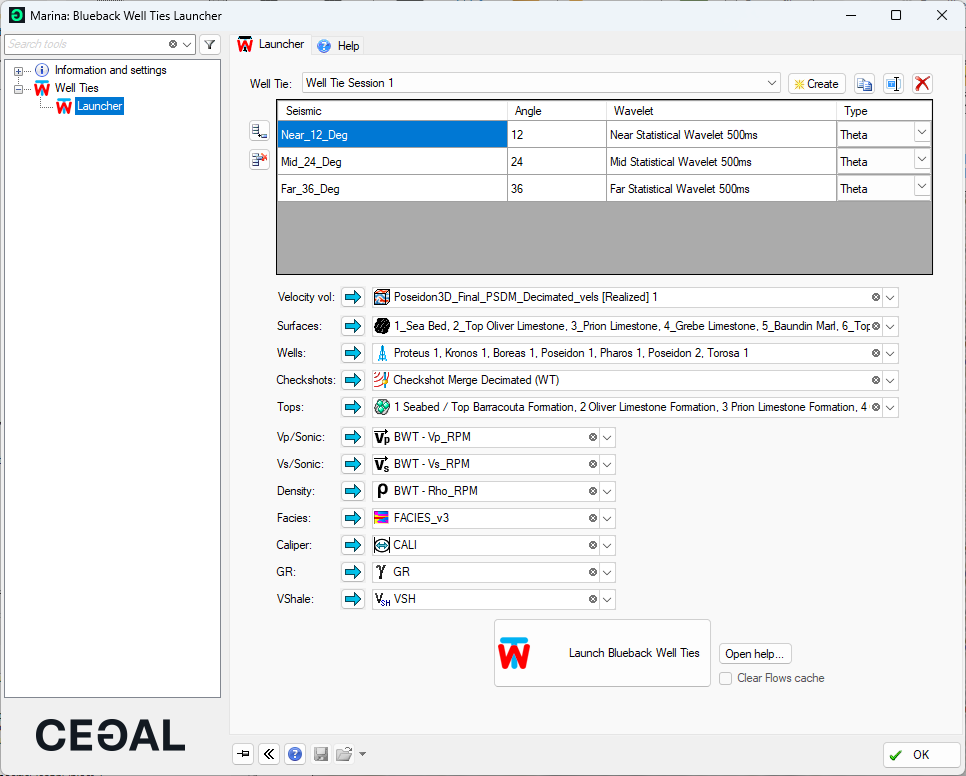
Blueback Well Ties data selection for Petrel.
Avary data selector
Blueback Well Ties for Avary can be accessed from the data tree > Functions > Well Ties.
The main inputs to the launcher are the seismic volume, this can be theta angle-stacks, intercept, gradient, EEI attributes and PS data; well data (petrophysical logs, elastic logs, checkshots), surfaces and wavelets when methods other than White are used.
For wells without checkshots, then a velocity volume can be used to create an initial TDR. This volume needs to be imported in depth, with a property of one of the velocity types.
Well data is imported from the Well import dialog. All the wells imported are passed to Well Ties, along with the log properties of the selected versions. Well Ties requires, as minimum, Vp and Density logs as input; to tie to anything other than zero incidence intercept volumes a Vs log is also required. Other log types, such as Faces, VShale, GR or caliper logs can be selected for QC.
Once the data is selected, click on ‘Launch Blueback Well Ties’.
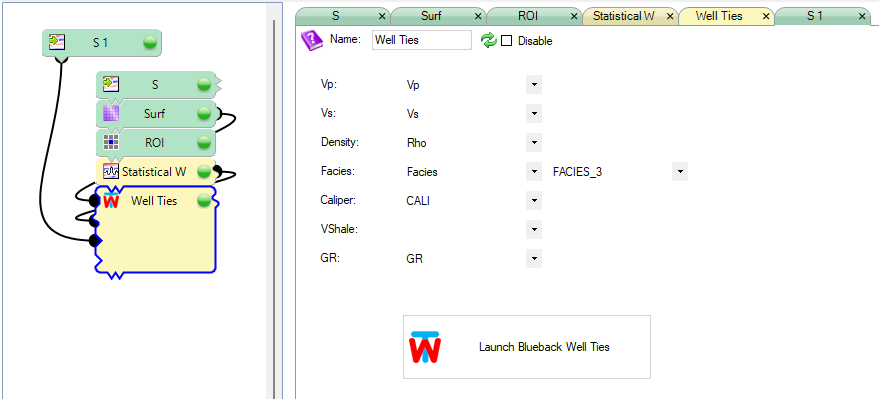
Blueback Well Ties data selection for Avary.