Appearance
Blueback Investigator Quick Guide
Examples
AVO cross posting and filtering
3D seismic attributes
Option for introduction slide.
AVO class cross posting and filtering
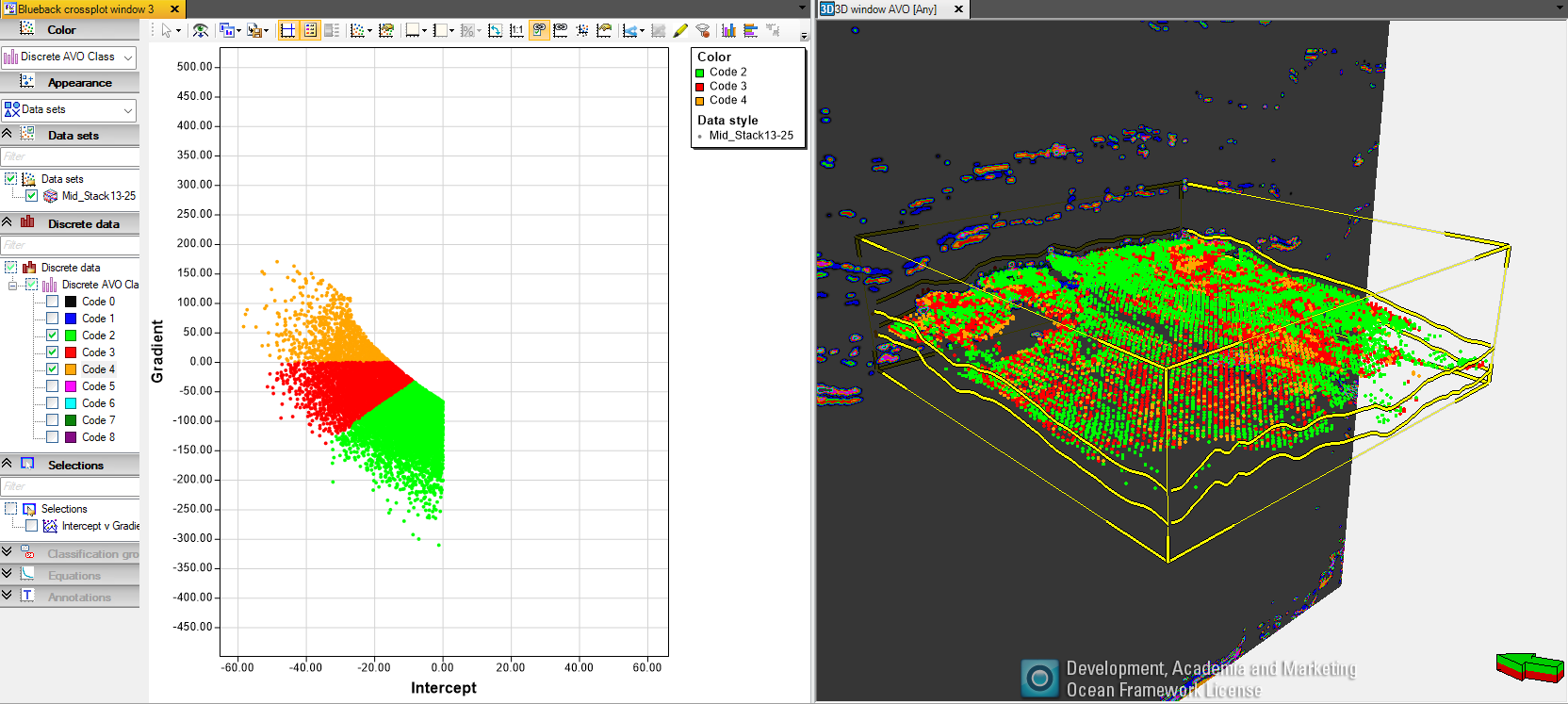
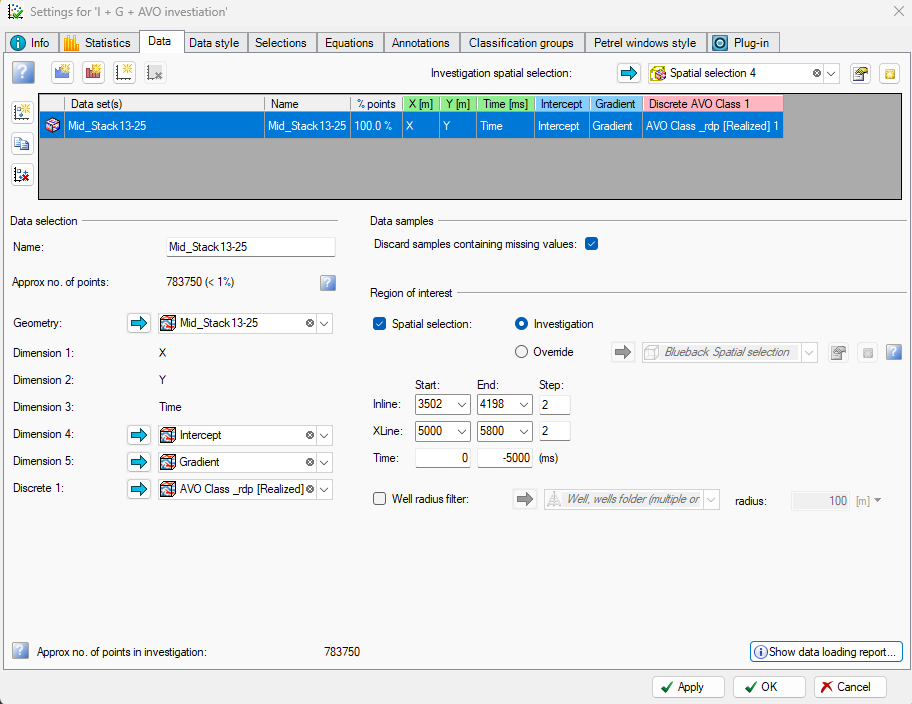
Spatially identifying different AVO classes is easily done by the Investigator. Build the seismic investigation ( using the spatial selector method ) containing Intercept and Gradient seismic attributes, add X, Y and time dimensions. Then manually add the AVO attribute as a discrete dimension (see Apply discrete template to seismic )
AVO class cross posting and filtering
Generate a Gradient vs Intercept cross-plot and color by the AVO attribute. Display the investigation in a Petrel 3D window, hit the “Link visuals” button in the cross-plot toolbar, and select the Petrel 3D window. Any filter applied in the cross-plot window will be applied to the investigator point set in the Petrel 3D window. Control the investigation coloring in the Petrel window from the “Petrel window style” tab in the investigation